 EN

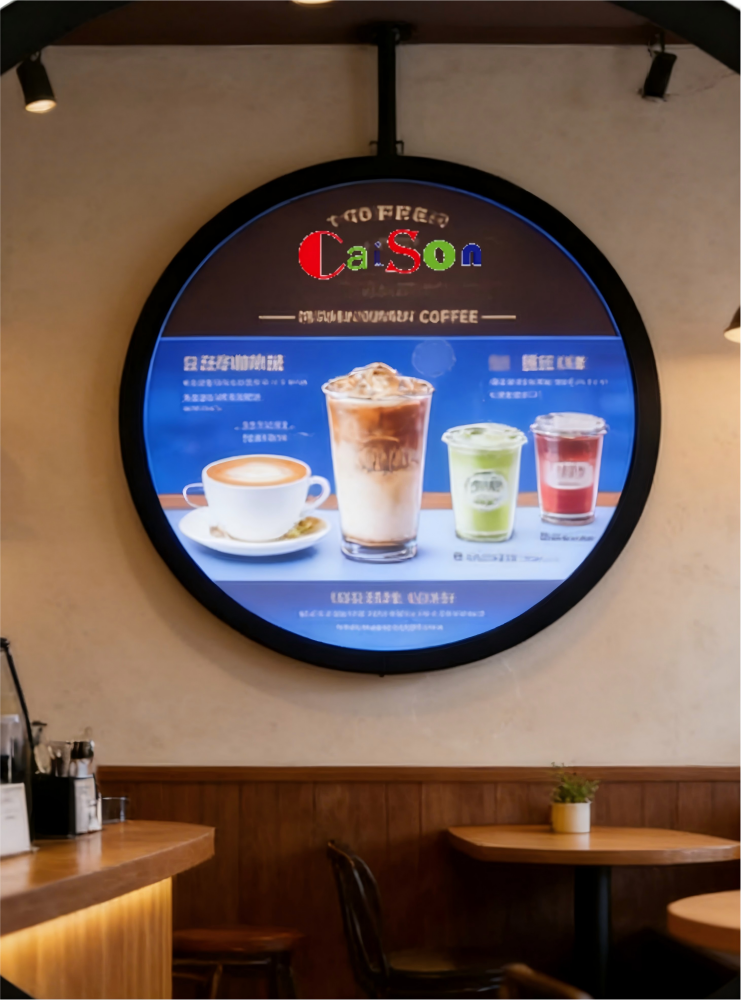
Selecting a window lcd display for continuous operation starts with the conditions it must handle, not just its size or resolution. The right window lcd display must remain readable through the day, tolerate its installation environment, and fit the operating schedule. A useful selection process connects these requirements to panel specifications, system design, and maintenance access before procurement.
For a window lcd display, continuous use means more than leaving the screen powered on. Sunlight, heat buildup, image content, ventilation, and service access all affect long-term suitability. This guide explains how to assess those factors in sequence, so the selected window lcd display matches the actual site and the business purpose rather than a generic specification sheet.
Define the operating duty and site conditions
Translate continuous operation into a duty profile
Begin by documenting when the window lcd display will run, including opening hours, overnight operation, planned shutdowns, and restart frequency. A window lcd display used for a full business day faces a different duty profile from one left on around the clock. Confirm the intended daily schedule with operations staff, and ask the manufacturer to clarify the rated operating hours and any required cooling or rest periods.
Also describe the content shown on the window lcd display. Static menus, prices, or logos can create uneven wear if they remain in the same positions for long periods, while changing promotional content distributes use differently. A window lcd display selection should account for brightness settings, image-management practices, and any built-in protections relevant to persistent content. Match the planned duty to documented specifications instead of assuming that every commercial screen supports identical use.
Measure sunlight, ambient heat, and ventilation
A window lcd display facing direct daylight needs sufficient visible brightness, but brightness should be chosen for the actual viewing conditions. Record whether sunlight falls on the panel directly, the viewing distance, and whether glare or reflections are likely. For a window lcd display, a high-brightness rating may improve legibility, yet it can also increase heat and power demand. Evaluate readability at the site, including different times of day.
Temperature around the enclosure is equally important. Glass, sunlight, nearby equipment, and restricted airflow can raise local heat beyond the room’s general temperature. Check the window lcd display operating-temperature range and the manufacturer’s ventilation clearances, then compare them with measured or expected site conditions. Do not treat an open window or an air-conditioned room as proof of adequate cooling; verify the airflow around the planned mounting position.
Match display performance to the viewing task
Set brightness, contrast, and reflection requirements
Choose brightness by balancing outdoor visibility with comfortable indoor viewing and heat management. A window lcd display should remain legible to people approaching from the expected angle and distance, including when daylight changes. Assess the panel in its intended orientation because reflections and perceived contrast can shift with angle. The window lcd display specification should also state how brightness is controlled and whether automatic adjustment is available or needed.
Consider the full optical path, not brightness alone. Cover glass, protective layers, tint, and the angle of the window can affect reflections and image clarity. When comparing a window lcd display with site requirements, test representative content such as small text, product images, and high-contrast graphics. Confirm that the display remains readable without making the screen unnecessarily bright, and include the final enclosure or glazing in evaluation where possible.
Choose size, resolution, and orientation for content
The panel should fit both the available opening and the viewing task. Measure the visible area, bezel allowance, mounting depth, and required aspect ratio before choosing a window lcd display. Stretched or portrait formats may suit narrow windows, but only when the content is designed for that shape. Check pixel dimensions against the smallest text and graphic elements so that information remains clear at the intended viewing distance.
Confirm that the media player and content workflow support the selected resolution and orientation. A window lcd display can have appropriate physical dimensions yet still produce cropped graphics, distorted layouts, or unused screen area if the signal format is mismatched. Validate input ports, supported timing, and content scheduling as part of selection. When needed, preview real campaign material on the target format before approving the installation design.
Verify integration, reliability, and ongoing service
Check power, controls, and mounting integration
Review power availability, cable routing, control access, and mounting loads before ordering. A window lcd display positioned behind glazing may require a secure bracket and service access that does not obstruct the window or public circulation. Confirm voltage, connector types, signal inputs, and any network or player requirements. For a window lcd display installed in a managed system, establish how staff will adjust brightness, schedule content, and check operating status.
Plan for predictable startup and recovery after power interruptions. Ask how the window lcd display behaves after a restart, whether it returns to the intended input, and how operating settings are retained. If remote monitoring matters, verify which status information is available and how it connects to the site network. These details reduce avoidable visits and help operations teams distinguish a display fault from a signal, player, or power issue.
Assess serviceability and total operating demands
Continuous operation makes access for inspection and cleaning part of the selection decision. Determine how technicians will reach the window lcd display, remove dust, inspect vents, and replace components safely. Ask about warranty terms, service procedures, and the availability of technical documentation rather than relying on general durability language. A window lcd display that is difficult to access can increase disruption even when the panel itself meets the intended duty.
Compare expected power use at the brightness level the site actually needs, not only at a maximum setting. Consider control schedules, heat removal, and the costs of planned maintenance within the operating budget. The selected window lcd display should have specifications that can be checked against site measurements and clear limits for temperature and duty. If a candidate meets the visual requirement but not the thermal or service conditions, adjust the installation plan or reconsider the configuration.
FAQ
Does a window LCD display need to stay at maximum brightness?
No. Set brightness to the level needed for legibility in the installation environment. A window lcd display should be assessed under actual daylight and viewing conditions, because maximum output may add heat and power use without improving the viewing experience at every hour. If light changes substantially, evaluate whether scheduled or automatic adjustment is appropriate for the window lcd display and its controls.
How can I confirm suitability for all-day operation?
Compare the intended schedule and site temperatures with the manufacturer’s stated operating limits and duty guidance. For a window lcd display, also verify ventilation, restart behavior, and content practices that may affect prolonged use. Ask for written specifications and check that the installation leaves required airflow. A window lcd display should be selected against the complete operating profile, not an assumed general-purpose rating.
What should be tested before installation?
Test the display in its final orientation with representative content, signal equipment, and the expected glazing or protective layers. Check readability at relevant distances and times, confirm that the window lcd display fits the opening, and verify cable access and cooling clearance. This site test can expose reflection, format, or integration problems before the window lcd display is put into routine service.