
 EN
EN
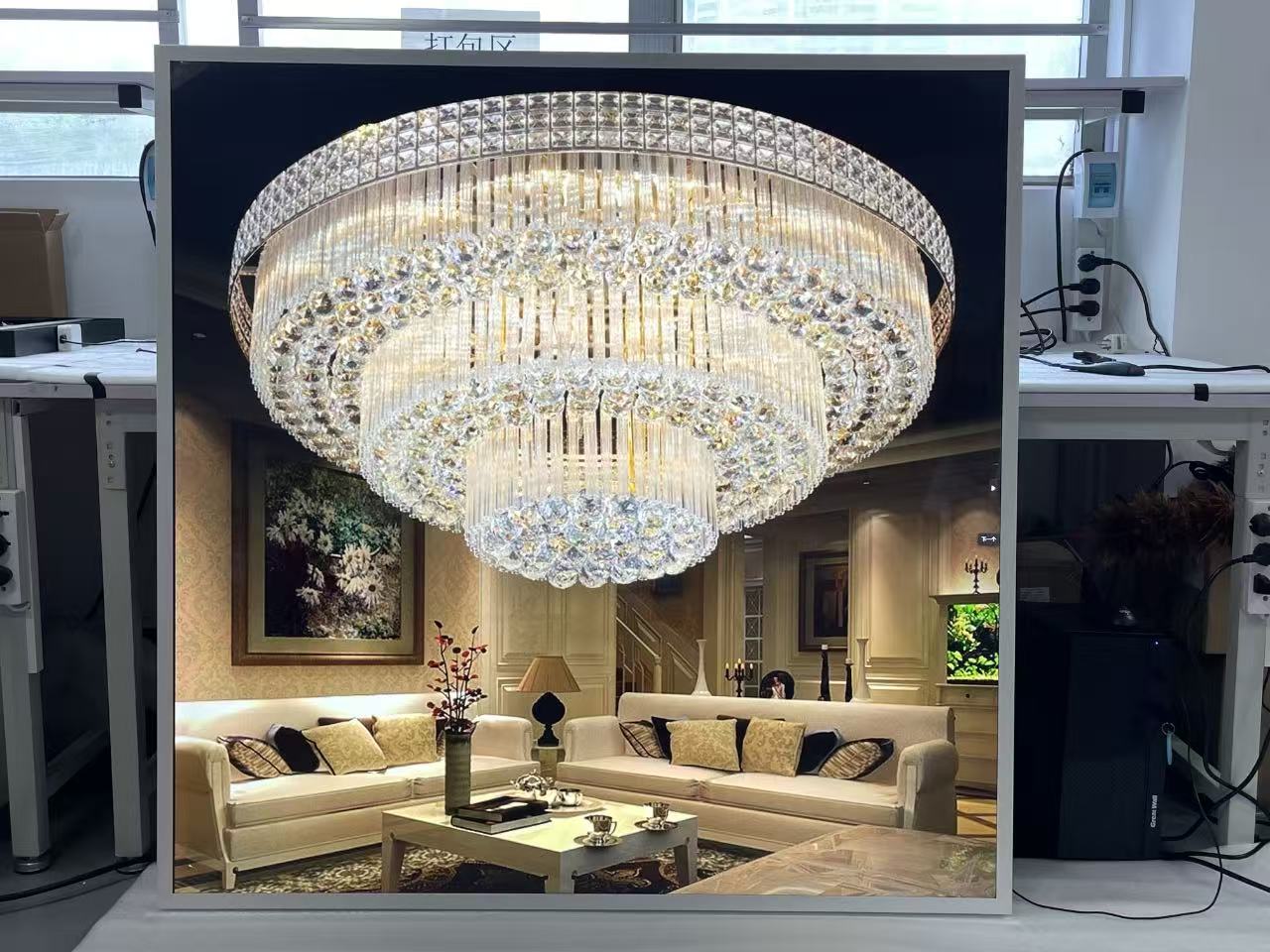
Choosing the right display technology for a commercial environment is rarely straightforward, and when it comes to non-standard form factors, the decision becomes even more nuanced. A square lcd occupies a unique position in the display market — it offers a balanced, symmetrical canvas that suits a wide range of commercial applications, from retail advertising kiosks to industrial control panels. Before committing to a specific module or configuration, procurement teams and integration engineers need a structured evaluation framework that addresses both technical specifications and operational realities.

The square lcd format introduces a set of considerations that standard widescreen displays simply do not require. Aspect ratios, pixel density distribution, mounting compatibility, and content management all behave differently when the display geometry is 1:1 rather than 16:9 or 4:3. This guide walks through the key evaluation dimensions that matter most for successful commercial integration, helping you ask the right questions before a purchase decision is made.
Understanding the Commercial Use Case Before Selecting a Square LCD
Mapping Application Requirements to Display Format
The first step in evaluating any square lcd solution is to clearly define the deployment environment and the content being displayed. A square lcd used in a retail window display has entirely different brightness, viewing angle, and refresh rate requirements compared to one embedded in a self-service kiosk or a building directory panel. Starting with a precise use case definition prevents over-specification in some areas and dangerous under-specification in others.
Commercial integration teams should document the expected ambient lighting conditions, the typical viewing distance, whether the display will be interactive or passive, and the daily operating hours. A square lcd running 24 hours in a transit hub needs a higher brightness rating and stronger thermal management than one operating 8 hours a day in an air-conditioned retail store. These environmental parameters directly inform the minimum acceptable specifications.
Content type also matters significantly. A square lcd displaying static product images has different pixel density needs than one rendering detailed schematics or fast-moving video content. Defining content type early helps narrow the shortlist of viable square lcd modules before any technical deep-dive begins.
Identifying Installation Constraints Early
Physical installation constraints are often underestimated during the evaluation of a square lcd for commercial projects. Cabinet depth, bezel width, mounting orientation, and connector accessibility all influence whether a given square lcd module will integrate cleanly into the intended enclosure or retrofit environment. Integration teams should gather detailed mechanical drawings of both the display module and the target installation space before any prototype stage.
Ventilation and heat dissipation are particularly relevant for a square lcd installed inside a sealed kiosk or embedded in a wall panel. Without adequate airflow, even a well-specified square lcd can experience thermal throttling or premature backlight degradation. Reviewing thermal specifications alongside physical dimensions ensures that the installation design accounts for both form and function.
Technical Specifications That Define Square LCD Performance
Resolution and Pixel Density in a 1:1 Aspect Ratio
Unlike widescreen panels, a square lcd distributes its resolution evenly across both axes, which has practical implications for content rendering. A square lcd with a 1905x1905 resolution, for example, provides balanced pixel density in both the horizontal and vertical directions, making it well-suited for symmetrical interface designs, product showcases, and informational layouts that do not favor either landscape or portrait orientation.
When evaluating resolution for a square lcd, integration teams should consider not just the raw pixel count but the effective viewing quality at the intended installation distance. A higher pixel density is valuable when viewers are close to the screen, but for large-format signage viewed from several meters away, the incremental benefit diminishes. Matching resolution to viewing distance and content complexity avoids unnecessary cost premiums.
It is also worth noting that content management systems and media players must be configured to output at the native resolution of the square lcd. Many commercial CMS platforms default to widescreen resolutions, so confirming software compatibility with 1:1 output formats is an important pre-integration step that is frequently overlooked.
Brightness, Contrast, and Viewing Angle Standards
Brightness is measured in nits, and the required level depends entirely on the ambient light conditions of the deployment site. An outdoor-facing square lcd may require 1500 nits or higher to remain legible under direct sunlight, while an indoor square lcd in a controlled lighting environment can perform adequately at 400 to 700 nits. Specifying the correct brightness range avoids both washed-out images in bright environments and unnecessary power consumption in dim ones.
Contrast ratio determines how distinctly a square lcd can separate dark and light elements within an image. For content-heavy commercial applications such as digital menus, product catalogs, or wayfinding displays, a high contrast ratio improves readability and visual impact. IPS-based square lcd panels generally offer superior contrast and wider viewing angles compared to TN panels, which is an important consideration in environments where viewers approach from multiple directions.
Viewing angle specifications are expressed as horizontal and vertical degree ranges and indicate how far off-center a viewer can stand before color accuracy and contrast begin to degrade. For a square lcd installed at eye level in a corridor or lobby, wide viewing angles in both dimensions are critical. For a square lcd in a fixed-orientation display cabinet, narrower viewing angle requirements may be acceptable, potentially reducing cost.
Operating System and Embedded Computing Options
Many modern square lcd modules are available with integrated computing platforms, most commonly Android-based systems. An Android-integrated square lcd allows for standalone content playback without an external media player, reducing wiring complexity and total system cost. For commercial deployments where centralized content management is required, verifying that the embedded Android version supports the intended CMS application is essential.
The processing power of the embedded platform within a square lcd module affects how smoothly it handles video playback, real-time data feeds, and interactive touch responses. Underpowered embedded systems can cause frame drops, delayed touch responses, and poor user experience in high-demand applications. Reviewing the CPU, RAM, and storage specifications of the embedded platform alongside the display specifications gives a more complete picture of real-world performance.
Evaluating Square LCD Integration Compatibility
Signal Input and Interface Standards
A square lcd module intended for commercial integration must support the signal interfaces used by the broader system architecture. HDMI, LVDS, eDP, and MIPI DSI are among the most common interfaces found on square lcd modules, and each has different implications for cable length, signal integrity, and compatibility with external media sources. Integration teams should map the available interfaces on the square lcd against the output capabilities of the content source before finalizing a selection.
For installations where the square lcd will be driven by an external PC or media player rather than an embedded system, HDMI is typically the most flexible choice due to its widespread adoption. For tighter embedded designs where the display module is integrated closely with a custom PCB, LVDS or eDP connections offer more compact and reliable routing. The choice of interface standard also affects the maximum achievable refresh rate and color depth, which matter in high-quality visual presentation contexts.
Touch Integration and Interactive Capability
Interactive deployments require a square lcd with a compatible touch overlay, and the type of touch technology selected has significant implications for both performance and durability. Projected capacitive touch is the dominant choice for commercial square lcd applications due to its responsiveness, multi-touch support, and resistance to wear. Resistive touch options exist for environments where gloved operation is necessary, though they sacrifice some accuracy and visual clarity.
The touch controller must be evaluated alongside the display panel to ensure that calibration, driver support, and response latency meet the application requirements. A square lcd with a poorly integrated touch controller can introduce inconsistent touch registration, especially at the edges of the panel — an issue that is particularly noticeable in the 1:1 format where all four quadrants are equally likely to receive user input.
For kiosk and self-service applications, the durability of the front glass or touch overlay on the square lcd also warrants attention. Tempered glass with an anti-glare coating improves both resilience and readability, particularly in high-traffic public environments where the display will be touched repeatedly throughout the day.
Sourcing and Supply Chain Considerations for Square LCD Projects
Certifications and Compliance Requirements
Commercial deployments require that all display components meet relevant regulatory and safety standards for the target market. A square lcd intended for use in North America should carry UL or FCC certifications, while European deployments require CE marking. Verifying that the square lcd module holds the necessary certifications before purchasing avoids costly re-certification processes later in the project timeline.
RoHS compliance is a baseline requirement for most commercial display procurement, ensuring that the square lcd does not contain hazardous substances that would complicate disposal and recycling at end of life. For healthcare or food service environments, additional certifications related to antimicrobial surfaces or IP-rated enclosures may apply, and these should be confirmed with the display supplier early in the evaluation process.
Long-Term Availability and After-Sales Support
Commercial integration projects often involve multi-year deployments, and the long-term availability of replacement units or spare parts is a practical concern that influences supplier selection. A square lcd model with a confirmed production lifecycle of three years or more provides the supply chain stability needed for large-scale rollouts where display units may need to be replaced or expanded over time.
After-sales technical support is equally important, particularly for custom or semi-custom square lcd configurations. Integration teams benefit from suppliers who can provide engineering documentation, firmware updates, and application-level technical assistance throughout the project lifecycle. Evaluating the responsiveness and technical depth of a supplier's support team before finalizing a square lcd purchase is a step that protects the project from delays and unresolved integration issues down the line.
Volume pricing, minimum order quantities, and lead times are additional supply chain factors that affect project feasibility. A square lcd that meets all technical requirements but carries a 16-week lead time may not be viable for a time-sensitive deployment. Building a realistic procurement timeline that accounts for these factors ensures that technical evaluation and commercial planning remain aligned.
FAQ
What makes a square lcd different from standard commercial displays?
A square lcd uses a 1:1 aspect ratio, meaning the horizontal and vertical dimensions are equal. This is distinct from widescreen (16:9) or standard (4:3) displays and requires content, software, and mounting solutions specifically designed or configured for the symmetrical format. The square lcd is particularly suited to applications where neither landscape nor portrait orientation is preferred, such as product showcases, interactive kiosks, and certain industrial interfaces.
Can a standard content management system handle a square lcd output?
Most commercial CMS platforms can be configured to output content at 1:1 resolutions, but this often requires manual configuration rather than a default setting. Before deploying a square lcd, integration teams should verify that their chosen CMS supports custom resolution output and test the playback quality at the target resolution. Some platforms may require specific plugins or firmware versions to handle square lcd content correctly.
How important is brightness specification when selecting a square lcd for outdoor use?
Brightness is one of the most critical specifications for an outdoor or semi-outdoor square lcd installation. In direct sunlight or high-ambient-light environments, a panel with insufficient brightness will appear washed out and unreadable. For outdoor-facing square lcd deployments, a minimum of 1000 nits is generally recommended, with 1500 nits or higher preferred for fully exposed installations. Indoor environments with controlled lighting can typically operate effectively with panels in the 400 to 700 nit range.
What should I check when evaluating touch compatibility on a square lcd module?
When evaluating touch on a square lcd, focus on the touch technology type (projected capacitive is preferred for most commercial applications), the number of simultaneous touch points supported, the response latency, and the operating system driver compatibility. It is also important to check that the touch overlay is factory-bonded to the display panel rather than air-bonded, as bonded assemblies offer better optical clarity and reduced condensation risk in varying temperature environments.
Table of Contents
- Understanding the Commercial Use Case Before Selecting a Square LCD
- Technical Specifications That Define Square LCD Performance
- Evaluating Square LCD Integration Compatibility
- Sourcing and Supply Chain Considerations for Square LCD Projects
-
FAQ
- What makes a square lcd different from standard commercial displays?
- Can a standard content management system handle a square lcd output?
- How important is brightness specification when selecting a square lcd for outdoor use?
- What should I check when evaluating touch compatibility on a square lcd module?